The best way to start with smart home devices is to pick one problem you want solved, choose a device that works with the ecosystem you already use, and lock down its security on day one. A smart plug, thermostat, or video doorbell set up carefully will serve you better than a house full of gadgets that do not talk to each other.
This Metromsk.Com beginner’s guide explains how the pieces fit together, what to buy first, and how to keep your home network private.
Key Takeaways
- Choose one platform (Apple Home, Google Home, Amazon Alexa, or a Matter-based setup) and buy devices that support it.
- Start small with a smart plug, bulb, or thermostat before investing in locks and cameras.
- Secure your Wi-Fi router first, then change default passwords on every device.
- Review privacy settings for cameras and voice assistants, and turn off features you do not use.
- Smart thermostats and plugs can help trim energy waste when you schedule them well.
What Counts as a Smart Home Device?
A smart home device is any household product that connects to your network so you can control or automate it from an app, a voice assistant, or a schedule. Common examples include lights, plugs, thermostats, doorbells, cameras, locks, speakers, and sensors.
Most devices connect in one of three ways: directly over Wi-Fi, through a low-power wireless protocol such as Zigbee or Thread with a small hub, or through a newer standard called Matter that is designed to work across brands. Understanding this early saves you from buying gear that will not cooperate.
Choosing Your Ecosystem
Your ecosystem is the app and voice assistant that tie everything together. The right choice usually depends on the phone and speakers you already own.
| Platform | Works best if you | Things to know |
|---|---|---|
| Apple Home | Use an iPhone and want privacy-focused controls | Needs a home hub (Apple TV or HomePod) for remote access and automations |
| Google Home | Use Android or Nest speakers and displays | Strong voice control and routines; supports Matter |
| Amazon Alexa | Already own Echo speakers | Very wide device compatibility; review voice recording settings |
| Matter-certified devices | Want flexibility to switch platforms later | Can be shared across several ecosystems at once |
Before buying, check the box or product page for your platform’s logo or the Matter badge. Mixing incompatible devices is the most common beginner frustration.
The Best Smart Home Devices to Start With
Begin with low-cost, low-risk devices that deliver a clear daily benefit:
- Smart plugs: Turn lamps, fans, or coffee makers on a schedule.
- Smart bulbs: Dim lights, set wake-up routines, and switch off forgotten rooms remotely.
- Smart thermostat: Automate heating and cooling around your schedule.
- Video doorbell: See who is at the door and receive package alerts.
- Leak and motion sensors: Get early warnings about water or unexpected activity.
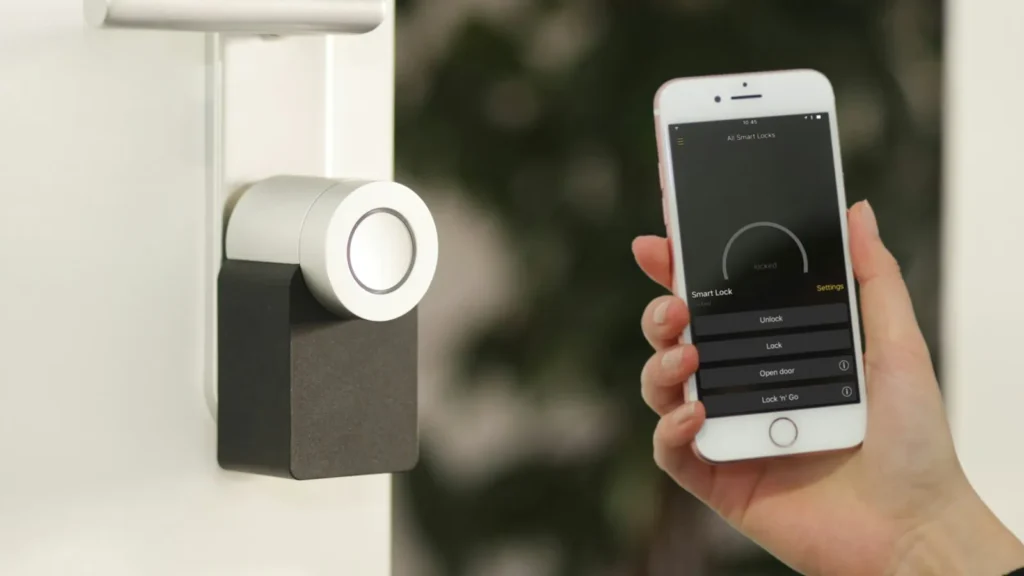
Save smart locks and indoor cameras for later, once you are comfortable managing updates and permissions. If you are planning renovations, it is easier to add smart switches and sensors while walls are open, as we note in our guide to simple bathroom renovations.
Do Smart Thermostats Save Energy?
They can. ENERGY STAR points out that almost half of a typical household’s energy bill goes to heating and cooling, and certified smart thermostats are tested on real-world data to confirm savings. Results depend on your schedule and how you set it up. For bigger gains, pair automation with the upgrades in our guide to energy-efficient home upgrades.
Setting Up Your First Devices
- Update your router and phone before you begin.
- Download the manufacturer’s app and your ecosystem app.
- Follow the pairing steps, usually scanning a QR code on the device.
- Name each device clearly by room (“Kitchen Lamp,” “Hall Thermostat”).
- Install any firmware update the app offers right away.
- Create one simple routine, such as lights on at sunset, and build from there.
Keep the device’s box or a photo of its setup code. You may need it if you reset the device or move it to a new platform.
Privacy and Security Basics
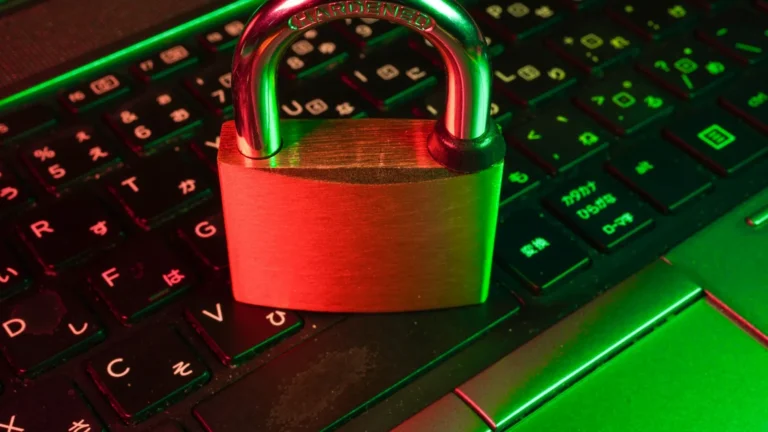
Every connected device is another door into your network, so security is not optional. The Federal Trade Commission’s advice on securing internet-connected devices at home starts with the router: change its default admin password and network name, turn on encryption, and keep its firmware updated.
From there, apply the same rules to each device:
- Replace default usernames and passwords with unique ones.
- Turn on two-factor authentication for every smart home account.
- Enable automatic updates where available.
- Disable or unplug devices and features you no longer use.
Your smart home is only as secure as the accounts that control it. Our guide on how to protect your online accounts covers passwords, passkeys, and MFA in detail.
Cameras and Voice Assistants
Point indoor cameras away from bedrooms and bathrooms, and use privacy modes when you are home. For voice assistants, review how long recordings are stored, delete history you do not need, and use the physical mute button when you want quiet. Readers of Metromsk.Com often find that a few minutes in these settings eases most privacy worries.
Making Smart Tech Work for Your Lifestyle
The goal is a home that quietly removes small chores, not one that demands constant attention. Automations like a bedtime routine that locks the door and dims the lights can support calmer evenings, a theme we explore in lifestyle tips for a happy and productive life.
For more device guides, visit our technology coverage, or browse home improvement ideas that pair well with smart upgrades. You can also see what else is new from the Metromsk.Com newsroom.
Frequently Asked Questions
Do smart home devices need a hub?
Many do not. Wi-Fi devices connect straight to your router, and many Matter devices work with a smart speaker or streaming box you may already own. Zigbee and Thread devices need a compatible hub or border router, so check the product details before buying to avoid surprises during setup at home.
What is Matter, and should I care about it?
Matter is an industry standard that lets certified devices work across Apple, Google, Amazon, and other platforms. Choosing Matter-certified products gives you flexibility to switch ecosystems later or let family members use different apps. It is a sensible tiebreaker when two otherwise similar devices are available at similar quality.
Can smart home devices be hacked?
Any connected device can be targeted, which is why basic hygiene matters. Secure your router, change default passwords, enable two-factor authentication, and install updates promptly. Buying from established brands that publish a clear update policy also lowers risk, because unsupported devices stop receiving security fixes over time and become easier targets.
What happens to smart devices if the internet goes down?
It depends on the device. Many cloud-dependent gadgets lose app and voice control during an outage, though physical switches usually still work. Devices using local control through Matter, Thread, or a hub often keep running automations. If reliability matters, choose products that advertise local control and keep manual backups for locks.